Saturday, February 1, 2014

31. What is a Formal Review?


Formal reviews follow a formal process. It is well structured and regulated.

A formal review process consists of six main steps:
  • Planning
  • Kick-off
  • Preparation
  • Review meeting
  • Rework
  • Follow-up

1. Planning: The first phase of the formal review is the Planning phase. In this phase thereview process begins with a request for review by the author to the moderator (or inspection leader). A moderator has to take care of the scheduling like date, time, place and invitation of the review. For the formal reviews the moderator performs the entry check and also defines the formal exit criteria. The entry check is done to ensure that the reviewer’s time is not wasted on a document that is not ready for review. After doing the entry check if the document is found to have very little defects then it’s ready to go for the reviews. So, the entry criteria are to check that whether the document is ready to enter the formal review process or not. Hence the entry criteria for any document to go for the reviews are:
  • The documents should not reveal a large number of major defects.
  • The documents to be reviewed should be with line numbers.
  • The documents should be cleaned up by running any automated checks that apply.
  • The author should feel confident about the quality of the document so that he can join the review team with that document.

Once, the document clear the entry check the moderator and author decides that which part of the document is to be reviewed. Since the human mind can understand only a limited set of pages at one time so in a review the maximum size is between 10 and 20 pages. Hence checking the documents improves the moderator ability to lead the meeting because it ensures the better understanding.

2. Kick-off: This kick-off meeting is an optional step in a review procedure. The goal of this step is to give a short introduction on the objectives of the review and the documents to everyone in the meeting. The relationships between the document under review and the other documents are also explained, especially if the numbers of related documents are high. At customer sites, we have measured results up to 70% more major defects found per page as a result of performing a kick-off, [van Veenendaal and van der Zwan, 2000].

3. Preparation: In this step the reviewers review the document individually using the related documents, procedures, rules and checklists provided. Each participant while reviewing individually identifies the defects, questions and comments according to their understanding of the document and role. After that all issues are recorded using a logging form. The success factor for a thorough preparation is the number of pages checked per hour. This is called the checking rate. Usually the checking rate is in the range of 5 to 10 pages per hour.

4. Review meeting: The review meeting consists of three phases:

Logging phase: In this phase the issues and the defects that have been identified during the preparation step are logged page by page. The logging is basically done by the author or by a scribe. Scribe is a separate person to do the logging and is especially useful for the formal review types such as an inspection. Every defects and it’s severity should be logged in any of the three severity classes given below:

– Critical:The defects will cause downstream damage.
– Major: The defects could cause a downstream damage.
– Minor: The defects are highly unlikely to cause the downstream damage.

During the logging phase the moderator focuses on logging as many defects as possible within a certain time frame and tries to keep a good logging rate (number of defects logged per minute). In formal review meeting the good logging rate should be between one and two defects logged per minute.

Discussion phase: If any issue needs discussion then the item is logged and then handled in the discussion phase. As chairman of the discussion meeting, the moderator takes care of the people issues and prevents discussion from getting too personal and calls for a break to cool down the heated discussion. The outcome of the discussions is documented for the future reference.

Decision phase: At the end of the meeting a decision on the document under review has to be made by the participants, sometimes based on formal exit criteria. Exit criteria are the average number of critical and/or major defects found per page (for example no more than three critical/major defects per page). If the number of defects found per page is more than a certain level then the document must be reviewed again, after it has been reworked.

5. Rework: In this step if the number of defects found per page exceeds the certain level then the document has to be reworked. Not every defect that is found leads to rework. It is the author’s responsibility to judge whether the defect has to be fixed. If nothing can be done about an issue then at least it should be indicated that the author has considered the issue.

6. Follow-up: In this step the moderator check to make sure that the author has taken action on all known defects. If it is decided that all participants will check the updated documents then the moderator takes care of the distribution and collects the feedback. It is the responsibility of the moderator to ensure that the information is correct and stored for future analysis.

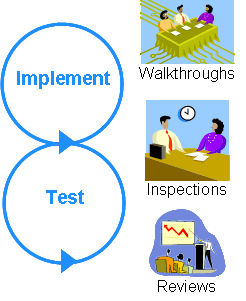
30. Difference between Inspection and Walkthrough?

Walkthrough: It is a step-by-step presentation by the author of a document in order to gather information and to establish a common understanding of its content.

It is review of a software work product by colleagues of the producer of the product for the purpose of identifying defects and improvements.

Inspection: It is a type of peer review that relies on visual examination of documents to detect defects, e.g. violations of development standards and non-conformance to higher level documentation. The most formal review technique and therefore always based on a documented procedure. Its purpose is to the identifying defects and improvements.

But I always believe in remembering anything in my own language. And everyone should do in the same way. If you will try to remember these definitions, you may not understand properly also you may forget soon.

Walkthrough :-


1.) It's a type of Semi Formal Review.
2.) 2 to 7 People are involved.
3.) Author is Presenter.
4.) Lead by Author only.
5.) Reviewers are not aware of the subject/topic.
6.) Other people are Inspectors or Reviewers.

Inspection :-


1.) It's totally a Formal Review.
2.) 2 to 10 or more People are involved.
3.) Author is not presenter. Some one else is giving presentation.
4.) Lead by Moderator.
5.) Reviewers are aware & well prepared for the subject/topic.
6.) Other people are Inspectors or Reviewers.
7.) Minute Taker is writing MOM.
8.) Recorder is noting down everything. Like defects, changes, improvements etc.
9.) Moderator's responsibility is to make sure that meeting is successful.


Walkthrough: Author presents their developed artifacts to an audience of peers. Peers question and comment on the artifacts to identify as many defects as possible. It involves no prior preparation by the audience. Usually, it involves minimal documentation of either the process or any arising issues. Defect tracking in walkthroughs is inconsistent.

Inspection: is used to verify the compliance of the product with the specified standards and requirements. It is done by examining, comparing the product with the designs, code, artifacts and any other documentation available. It needs proper planning and overviews are done to ensure that inspections are held properly. Lots of preparations are needed, meetings are held to do the inspections and then on the basis of the feedback of the inspection, rework is done.

Sunday, January 26, 2014

29. What is Isolation Testing?

Isolation testing is the process of breaking down the system into various modules so that defects can be spotted easily in isolation. It happens especially when the bug is difficult to locate and resolve by development team.


Characteristics of isolation Testing:

  • It is a time-consuming process and there should be stubs and drivers available to retest each one of them individually.
  • It is expensive as all the items are to be broken into several pieces to make it atomic in nature.
  • It verifies the output of each one of those interfaces/subsystems precisely.

Isolation testing requires that a test be done that has caused a problem previously. An example of this can be to perform a certain action that is known to cause system failure. Isolation testing helps testers to isolate a problem that is causing a specific error to occur.

28. What is Referential Integrity?


Referential integrity is a relational database concept in which multiple tables share a relationship based on the data stored in the tables, and that relationship must remain consistent.

The concept of referential integrity, and one way in which it’s enforced, is best illustrated by an example. Suppose company X has 2 tables, an Employee table, and an Employee Salary table. In the Employee table we have 2 columns – the employee ID and the employee name. In the Employee Salary table, we have 2 columns – the employee ID and the salary for the given ID.

Now, suppose we wanted to remove an employee because he no longer works at company X. Then, we would remove his entry in the Employee table. Because he also exists in the Employee Salary table, we would also have to manually remove him from there also. Manually removing the employee from the Employee Salary table can become quite a pain. And if there are other tables in which Company X uses that employee then he would have to be deleted from those tables as well – an even bigger pain.

By enforcing referential integrity, we can solve that problem, so that we wouldn't have to manually delete him from the Employee Salary table (or any others). Here’s how: first we would define the employee ID column in the Employee table to be our primary key. Then, we would define the employee ID column in the Employee Salary table to be a foreign key that points to a primary key that is the employee ID column in the Employee table. Once we define our foreign to primary key relationship, we would need to add what’s called a ‘constraint’ to the Employee Salary table. The constraint that we would add in particular is called a ‘cascading delete’ – this would mean that any time an employee is removed from the Employee table, any entries that employee has in the Employee Salary table would also automatically be removed from the Employee Salary table.

Note in the example given above that referential integrity is something that must be enforced, and that we enforced only one rule of referential integrity (the cascading delete). There are actually 3 rules that referential integrity enforces:
1. We may not add a record to the Employee Salary table unless the foreign key for that record points to an existing employee in the Employee table. 
2. If a record in the Employee table is deleted, all corresponding records in the Employee Salary table must be deleted using a cascading delete. This was the example we had given earlier. 
3. If the primary key for a record in the Employee table changes, all corresponding records in the Employee Salary table must be modified using what's called a cascading update. 

It’s worth noting that most RDBMS’s – relational databases like Oracle, DB2, Teradata, etc. – can automatically enforce referential integrity if the right settings are in place. But, a large part of the burden of maintaining referential integrity is placed upon whoever designs the database schema – basically whoever defined the tables and their corresponding structure/relationships in the database that you are using. 

27. Difference between Primary Key and Foreign Key?


Primary Key
Foreign Key
Primary key uniquely identify a record in the table.
Foreign key is a field in the table that is primary key in another table.
Primary Key can't accept null values.
Foreign key can accept multiple null value.
By default, Primary key is clustered index and data in the database table is physically organized in the sequence of clustered index.
Foreign key do not automatically create an index, clustered or non-clustered. You can manually create an index on foreign key.
We can have only one Primary key in a table.
We can have more than one foreign key in a table.

Define Primary key and Foreign key


--Create Parent Table
CREATE TABLE Department
(
DeptID int PRIMARY KEY,
--define primary key
Name varchar (50) NOT NULL,
Address varchar(100) NULL
)
GO
--Create Child Table
CREATE TABLE Employee
(
EmpID int PRIMARY KEY, --define primary key
Name varchar (50) NOT NULL,
Salary int NULL,
--define foreign key
DeptID int FOREIGN KEY REFERENCES Department(DeptID)
)


26. Clustered and Non- Clustered Index?


What is the difference between a Clustered and Non Clustered Index?


A clustered index determines the order in which the rows of a table are stored on disk. If a table has a clustered index, then the rows of that table will be stored on disk in the same exact order as the clustered index. An example will help clarify what we mean by that.

An example of a clustered index

Suppose we have a table named Employee which has a column named EmployeeID. Let’s say we create a clustered index on the EmployeeID column. What happens when we create this clustered index? Well, all of the rows inside the Employee table will be physically – sorted (on the actual disk) – by the values inside the EmployeeID column. What does this accomplish? Well, it means that whenever a lookup/search for a sequence of EmployeeID’s is done using that clustered index, then the lookup will be much faster because of the fact that the sequence of employee ID’s are physically stored right next to each other on disk – that is the advantage with the clustered index. This is because therows in the table are sorted in the exact same order as the clustered index, and the actual table data is stored in the leaf nodes of the clustered index.

Remember that an index is usually a tree data structure – and leaf nodes are the nodes that are at the very bottom of that tree. In other words, a clustered index basically contains the actual table level data in the index itself. This is very different from most other types of indexes as you can read about below.

When would using a clustered index make sense?


Let’s go through an example of when and why using a clustered index would actually make sense. Suppose we have a table named Owners and a table named Cars. This is what the simple schema would look like – with the column names in each table:

Owners
Owner_Name
Owner_Age

Cars
Car_Type
Owner_Name

Let’s assume that a given owner can have multiple cars – so a single Owner_Name can appear multiple times in the Cars table. Now, let’s say that we create a clustered index on the Owner_Name column in the Cars table. What does this accomplish for us? Well, because a clustered index is stored physically on the disk in the same order as the index, it would mean that a given Owner_Name would have all his/her car entries stored right next to each other on disk. In other words, if there is an owner named “Joe Smith” or “Raj Gupta”, then each owner would have all of his/her entries in the Cars table stored right next to each other on the disk.

When is using a clustered index an advantage?


What is the advantage of this? Well, suppose that there is a frequently run query which tries to find all of the cars belonging to a specific owner. With the clustered index, since all of the car entries belonging to a single owner would be right next to each other on disk, the query will run much faster than if the rows were being stored in some random order on the disk. And that is the key point to remember!

Why is it called a clustered index?


In our example, all of the car entries belonging to a single owner would be right next to each other on disk. This is the “clustering”, or grouping of similar values, which is referred to in the term “clustered” index.

Note that having an index on the Owner_Name would not necessarily be unique, because there are many people who share the same name. So, you might have to add another column to the clustered index to make sure that it’s unique.

What is a disadvantage to using a clustered index?


A disadvantage to using a clustered index is the fact that if a given row has a value updated in one of it’s (clustered) indexed columns what typically happens is that the database will have to move the entire row so that the table will continue to be sorted in the same order as the clustered index column. Consider our example above to clarify this. Suppose that someone named “Rafael Nadal” buys a car – let’s say it’s a Porsche – from “Roger Federer”. Remember that our clustered index is created on the Owner_Name column. This means that when we do a update to change the name on that row in the Cars table, the Owner_Name will be changed from “Roger Federer” to “Rafael Nadal”.

But, since a clustered index also tells the database in which order to physically store the rows on disk, when the Owner_Name is changed it will have to move an updated row so that it is still in the correct sorted order. So, now the row that used to belong to “Roger Federer” will have to be moved on disk so that it’s grouped (or clustered) with all the car entries that belong to “Rafael Nadal”. Clearly, this is a performance hit. This means that a simple UPDATE has turned into a DELETE and then an INSERT – just to maintain the order of the clustered index. For this exact reason, clustered indexes are usually created on primary keys or foreign keys, because of the fact that those values are less likely to change once they are already a part of a table.

A comparison of a non-clustered index with a clustered index with an example:


As an example of a non-clustered index, let’s say that we have a non-clustered index on the EmployeeID column. A non-clustered index will store both the value of the EmployeeID AND a pointer to the row in the Employee table where that value is actually stored. But a clustered index, on the other hand, will actually store the row data for a particular EmployeeID – so if you are running a query that looks for an EmployeeID of 15, the data from other columns in the table like EmployeeName, EmployeeAddress, etc. will all actually be stored in the leaf node of the clustered index itself.

This means that with a non-clustered index extra work is required to follow that pointer to the row in the table to retrieve any other desired values, as opposed to a clustered index which can just access the row directly since it is being stored in the same order as the clustered index itself. So, reading from a clustered index is generallyfaster than reading from a non-clustered index.
A table can have multiple non-clustered indexes

A table can have multiple non-clustered indexes because they don’t affect the order in which the rows are stored on disk like clustered indexes.

Why can a table have only one clustered index?


Because a clustered index determines the order in which the rows will be stored on disk, having more than one clustered index on one table is impossible. Imagine if we have two clustered indexes on a single table – which index would determine the order in which the rows will be stored? Since the rows of a table can only be sorted to follow just one index, having more than one clustered index is not allowed.

Summary of the differences between clustered and non-clustered indexes


Here’s a summary of the differences:

A clustered index determines the order in which the rows of the table will be stored on disk – and it actually stores row level data in the leaf nodes of the index itself. A non-clustered index has no effect on which the order of the rows will be stored.
Using a clustered index is an advantage when groups of data that can be clustered are frequently accessed by some queries. This speeds up retrieval because the data lives close to each other on disk. Also, if data is accessed in the same order as the clustered index, the retrieval will be much faster because the physical data stored on disk is sorted in the same order as the index.
A clustered index can be a disadvantage because any time a change is made to a value of an indexed column, the subsequent possibility of re-sorting rows to maintain order is a definite performance hit.
A table can have multiple non-clustered indexes. But, a table can have only one clustered index.
Non clustered indexes store both a value and a pointer to the actual row that holds that value. Clustered indexes don’t need to store a pointer to the actual row because of the fact that the rows in the table are stored on disk in the same exact order as the clustered index – and the clustered index actually stores the row-level data in it’s leaf nodes.

25. Difference between Primary Key and Unique Key?


Primary Key
Unique Key
Primary Key can't accept null values.
Unique key can accept only one null value.
By default, Primary key is clustered index and data in the database table is physically organized in the sequence of clustered index.
By default, Unique key is a unique non-clustered index.
We can have only one Primary key in a table.
We can have more than one unique key in a table.
Primary key can be made foreign key into another table. 
In SQL Server, Unique key can be made foreign key into another table.


Define Primary key and Unique key

CREATE TABLE Employee
(
EmpID int PRIMARY KEY, --define primary key
Name varchar (50) NOT NULL,
MobileNo int UNIQUE, --define unique key
Salary int NULL
)

In one of the differences, I have used 'clustered' and 'non clustered index'. In order to understand the concept, please follow this link:  http://cracksoftwaretestinginterviews.blogspot.in/2014/01/26-clustered-and-non-clustered-index.html